Search results for tag #debian
![[?]](https://media.bsd.cafe/bsdmmedia01/accounts/avatars/113/272/923/631/587/132/original/bfcaaf75b7a03d4d.jpg)
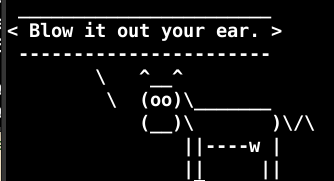
#Debian fortune delivers
Alt...
Cowsay and Fortune on debian telling me to blow it out my ear
![[?]](https://files.mastodon.social/accounts/avatars/114/208/289/283/708/024/original/995124d699fac242.jpg)
Zum Administrieren von #linux Systemen, insbesondere #debian und #linuxmint kann ich #giottoai wärmstens empfehlen: https://cloud.giotto.ai/
![[?]](https://cdn2.miau.pub/accounts/avatars/116/540/200/892/096/213/original/6def44835c93100d.png)
Today I learned that there are some proprietary components in #Linux #distros. I learned the deep stuff like firmware is no escape. But there are some distros who will include #proprietary stuff for workflow.
I checked my #Mint and there was nothing, or at least the check told me, I'm as #FOSS as if I'd be on #Debian. This made me relax a bit.
But also learned that Debian gives a priority to Foss stuff more than any distro out there. That's a nice thing to know.
![[?]](https://files.mastodon.social/accounts/avatars/000/381/869/original/6957d337bf382781.png)
Debian 13.6 schließt 120 Sicherheitslücken und bringt 124 Korrekturen https://fosstopia.de/debian-13-6/ #Debian #Debian1215 #Debian136 #Linux

![[?]](https://media.norden.social/accounts/avatars/116/197/973/983/283/929/original/0a3714cb2e0decc9.jpg)
![[?]](https://social.retroedge.tech/media/47840eee-46bb-4d3c-b5c7-94fbb515fa9c/Avatar-CPU.jpg)
![[?]](https://files.mastodon.social/accounts/avatars/000/428/853/original/c1a7ce2f3036c4f1.png)
Linux-Distribution bekommt Update: Debian 13.6 bringt Sicherheits- und Stabilitäts-Updates https://www.computerbase.de/news/betriebssysteme/linux-distribution-bekommt-update-debian-13-6-bringt-sicherheits-und-stabilitaets-updates.98353/ #debian #trixie #13 #update #linux #opensource #betriebssystem
![[?]](https://social.anoxinon.de/system/accounts/avatars/110/961/717/175/355/540/original/aaa8e449590df717.png)
Debian 13.6 »Trixie« veröffentlicht
https://linuxnews.de/debian-13-6-trixie-veroeffentlicht/ #debian #linux #linuxnews
![[?]](https://files.mastodon.social/accounts/avatars/112/055/223/046/968/360/original/1c16f130bcb03064.png)
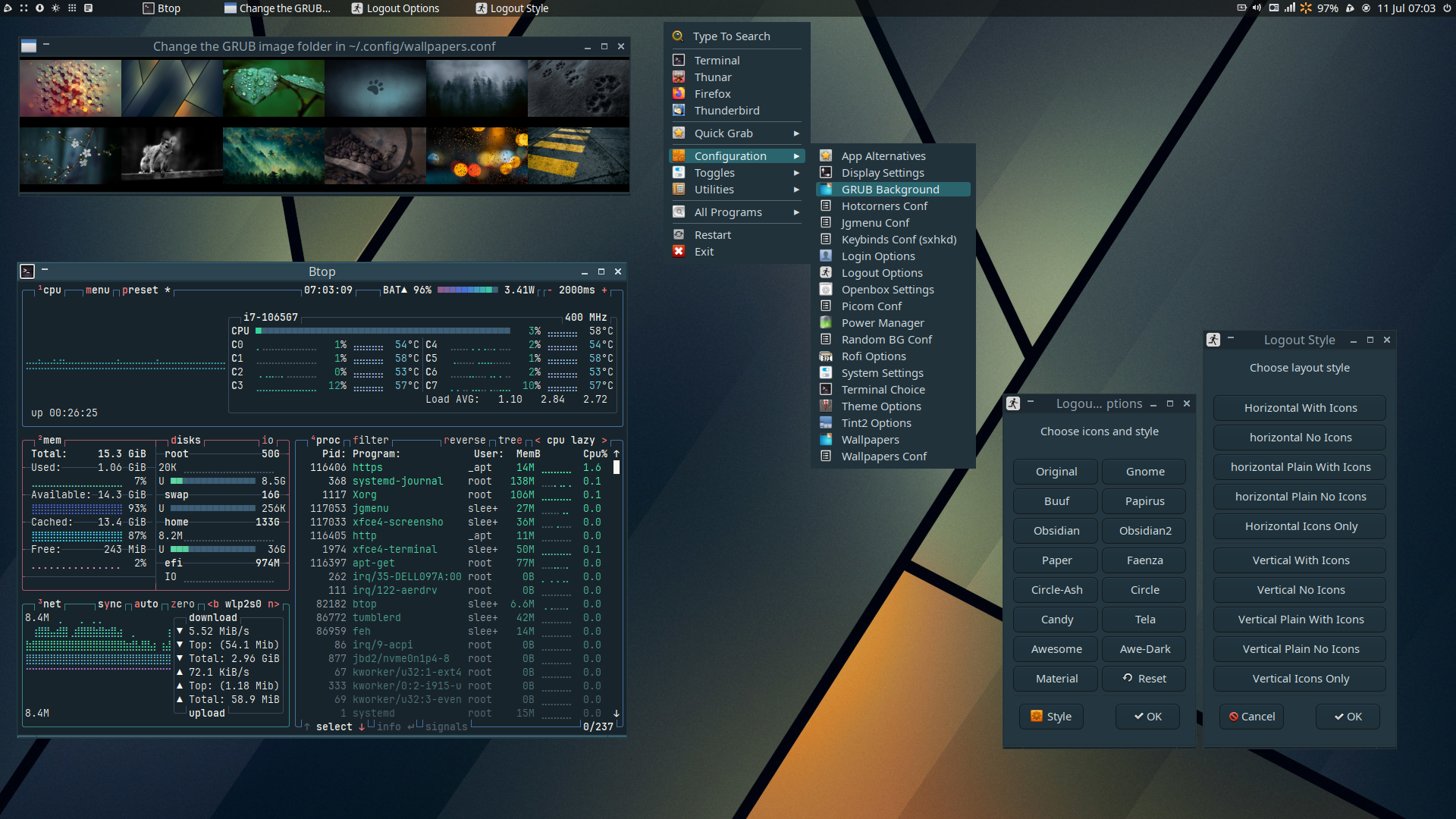
New release 26.07.11 Lilidog, Beardog, and Waydog
This release focuses on updated and new utilities, with other changes as necessary.
Downloads: https://sourceforge.net/projects/lilidog/files/Releases/
Reviews: https://distrowatch.com/table.php?distribution=lilidog
Github: https://github.com/sleekmason
#debian #linux #opensource #unix #windows
Alt...
Lilidog with the GRUB background changer, Btop, and the logout theme changer opened.
![[?]](https://f2.tchncs.de/accounts/avatars/109/250/308/897/663/702/original/93d28ed1a7a754a2.jpeg)
 zu
zu  | iX Magazin
![[?]](https://unseen-university.social/system/accounts/avatars/115/005/495/780/742/281/original/ddbf07a9c062e97f.png)
Neuer Artikel im Blog:
Debian-Update von Bookworm auf Trixie - OK
Mastodon: LoadError: libicudata.so.72 not found
Warum ein unscheinbares Ruby Gem eine ganze Instanz lahmlegt - und wie man das langfristig verhindern kann.
https://just-stuff.blog/mastodon-charlock-holmes-icu-debian-trixie/
It boots but the last message on the screen is:
SGX disabled by BIOS
And then it hangs and doesn't go any further. From the research I have done, the SGX is a warning and not the cause of the freeze. Something else is, but that doesn't get a message on the screen.
Anybody else run into this issue with Debian or Devuan based Linux distros ?
![[?]](https://social.terminaltilt.com/system/accounts/avatars/116/739/937/878/244/415/original/534d8bc85c9bdceb.png)
I'm back on Debian for all of my systems (desktop, laptop, servers). The grass isn't actually greener, just different. You can make Debian exactly the way you like it. There is a reason why so many distros are based on it.

Alt...
Screenshot of Debian 13.5 Trixie desktop running hyfetch and fastfetch in a terminal, showing system specs (i7-12700KF, 64GB RAM, RX 5700 XT) on KDE Plasma 6.3.6 Wayland. Wallpaper is pink blossoming trees against blue sky.
![[?]](https://s3.c.im/accounts/avatars/109/251/854/325/565/215/original/9683f005bad68fa5.jpeg)
Me: "I won't get caught off guard by the Debian end of life date. I'm a responsible adult with good automation of my personal equipment."
Also me:
Fuuuuuu
#debian

![[?]](https://social.anoxinon.de/system/accounts/avatars/000/079/552/original/231fc6938aaf9353.png)
TUXEDO OS wechselt auf Debian Testing und beantwortet die Sicherheitsfrage
TUXEDO OS wechselt auf Debian Testing, das offiziell keine Sicherheitsupdates garantiert. Ich habe beim Hersteller nachgefragt, wie er diese Lücke schliessen will.
#Tuxedo #Debian #Sicherheit #Linux
https://gnulinux.ch/tuxedo-os-wechselt-auf-debian-testing-und-beantwortet-die-si
![[?]](https://media.mas.to/accounts/avatars/115/463/926/174/894/442/original/3469dea253fa53f5.png)
[ Blog ] Proxmox VE 8 to 9 upgrade guide
The release of version 9, introduces new features and significant improvements making the #Proxmox VE 8 to 9 upgrade worthwhile.
By upgrading, you gain access to the latest features, critical security patches, and performance optimizations.
Prerequisites for Proxmox VE 8 to 9 upgrade
Before proceeding with http://rviv.ly/EvMkWF #debian #repository #aggiornamento

![[?]](https://social-heise-de.s3.de.io.cloud.ovh.net/accounts/avatars/109/722/110/464/209/207/original/8c6b0cc3354d3bc1.png)
Tuxedo OS wechselt von Ubuntu LTS zu Debian Testing
Tuxedo OS basiert künftig auf Debian Testing statt Ubuntu LTS. Das soll mehr technische Freiheit und weniger Wartungsaufwand bringen.
#Betriebssystem #Canonical #Debian #IT #Linux #OpenSource #Ubuntu #news
![[?]](https://files.mastodon.social/accounts/avatars/108/299/356/854/385/732/original/d14f916184af8896.jpg)
![[?]](https://assets.chaos.social/accounts/avatars/000/111/219/original/b264b0a615f9898d.gif)
 [
[BEGIN RANT
I used Linux, many distros*, as my primary desktop and everywhere else from 1998 to 2012. I used Unix starting in 1982, with Macintoshes off and on since their introduction.
In 2012, I moved my primary "desktop" to a MacBook. I liked it a lot, and a Mac is still my primary desktop. Since I retired in 2015, I maintain very few servers.
So my Linux sysadmin skills have atrophied.
1/N
* #SuSE #RedHat #Debian #Knoppix #Gentoo #Ubuntu #CentOS #SomeOthersIForgot
(Not a rant.)
Now that I've gathered all the Linux nerds (and probably infuriated most of you), I have a question.
20+ years ago, I learned to type "apt-get install $package" instead of "apt install". Likewise, I've always used "apt-get dist-upgrade" instead of "apt upgrade". I learned those were better, but I've forgotten why if I ever knew.
Is apt-get install better than apt install?
Was it once?
How?
Same three questions for apt-get dist-upgrade.
Thanks!
12/N
Neuer Tip im Blog :
Letztens haben wir den pod komplett automatisiert - als Service, mit auto-update. läuft. Nur auf Alma / Rocky / etc grätscht beim bind-mount dann SELinux dazwischen.
Der neue Quick-Tipp: bind-mount oder named volume, wie man das Label sauber setzt (chcon/semanage) - und warum das auf Debian mit AppArmor kein Thema ist.
![[?]](https://media.bsd.cafe/bsdmmedia01/accounts/avatars/114/439/967/181/871/365/original/9c94f4a4076e444d.jpg)
I had to do some inventory tasks for #work today at a remote #datacenter. I was listening to #NPR on the drive home and the discussion was on #AI, specifically on how the #tech titans like #OpenAI, #Anthropic, #Google, and #Meta have quietly stepped away from #safety mechanisms as their models improve, the #ethical implications, and #government #regulation. While the quiet distancing from safety is of obvious concern, the discussion on regulation caught my attention.
As one host put it (paraphrasing here) you'd think these companies don't want regulation but that's not necessarily the case. They are looking for regulation that favors them, whether it's getting in bed with the government or squashing out the competition. The bottom line is still about maximizing profits.
The last part was some interesting food for thought and it makes sense. If correct, it's some good indication of where they (and we) are headed.
On the flip side, #ChatGPT and these #LLMs still make mistakes that, unless you have at least *some* previously acquired knowledge on said topic, are believable.
Case in point: A few months ago, prior to one of my lab servers dying, I wanted to host both #Debian and #FreeBSD repos on the box (which was running the former). ChatGPT provided erroneous step by step instructions, including instructions to build FreeBSD Ports on Debian...using apt. 🤦
![[?]](data:image/png;base64, iVBORw0KGgoAAAANSUhEUgAAAEAAAABAAQAAAACCEkxzAAAAUUlEQVQoz43R0QkAMQwCUDdw/y3dwEvsvzlL4X1IoQkAisKmwfAFT3RgJHbQezpSRoXEqeqCL9BJBf7h3QbOCCxV5EVWMEMwG7K1/WODtlvxAYTtEsDU9F34AAAAAElFTkSuQmCC)
#TUXEDO #OS wechselt die Basis von Ubuntu LTS zu #Debian Testing -
Wie #TUXEDO_Computers heute mitteilte, wird #TUXEDO_OS in Zukunft Debian Testing anstatt Ubuntu LTS als Grundlage nutzen. Als Gründe für diesen aufwendigen Schritt geben die Entwickler sowohl technische als auch strategische Gründe an.
Hybrides System
TUXEDO OS verfolgt bisher ein hybrides Release-Modell, das die Vorteile von Rolling- und Point-Releases miteinander verbindet.
https://linuxnews.de/tuxedo-os-wechselt-den-unterbau-von-ubuntu-lts-zu-debian-testing/
TUXEDO OS wechselt die Basis von Ubuntu LTS zu Debian Testing
https://linuxnews.de/tuxedo-os-wechselt-den-unterbau-von-ubuntu-lts-zu-debian-testing/ #tuxedo #tuxedoos #debian #linux #linuxnews
![[?]](https://navi.lain.day/fileserver/01BMFJFGDY8P8K3D13BE7BBVSN/attachment/original/01KWNJMYMQS4P9XCKEF1D7G60M.png)
![[?]](https://assets.chaos.social/accounts/avatars/000/086/780/original/7699ff6b67e4070f.jpg)
Wie halt jetzt alle von #Ubuntu weggehen und good old #Debian benutzen.
Verständlich, keins lässt sich auf Dauer so nen Quatsch wie #Snap oder #KI aufzwängen.
In other words: Gut gemacht @tuxedocomputers #TUXEDO OS basiert kürnftig auf Debian statt auf Ubuntu!
https://www.tuxedocomputers.com/en/A-new-foundation-for-TUXEDO-OS-Switching-to-Debian.tuxedo
![[?]](https://linuxrocks.online/system/accounts/avatars/000/014/422/original/bb6b77299b7846d6.png)
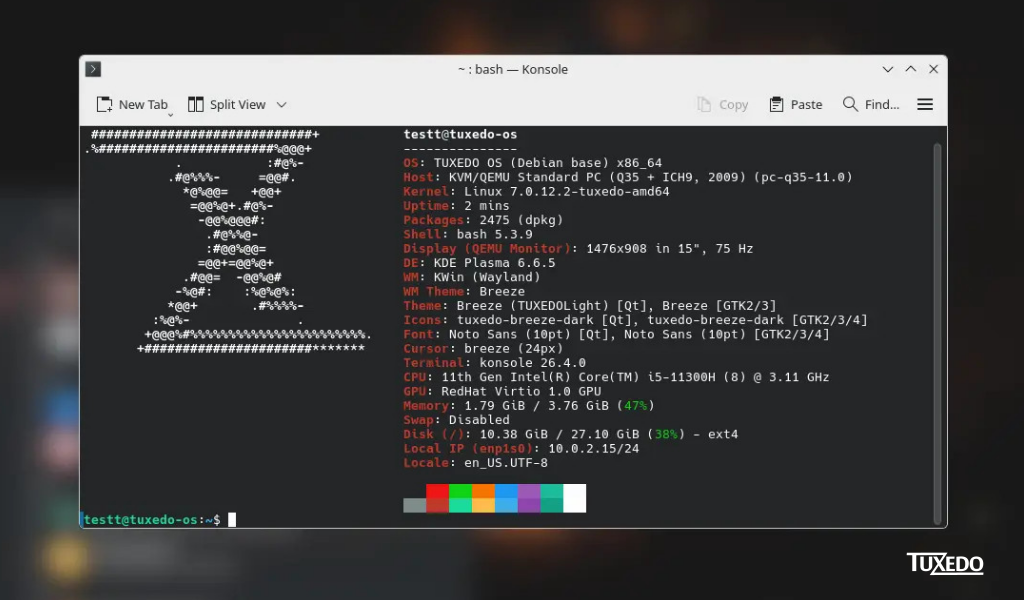
🎉A new foundation for TUXEDO OS: Switching to Debian🎉
Today, we can finally explain why Ubuntu will no longer serve as the foundation of TUXEDO OS in the future.
Further information:
https://www.tuxedocomputers.com/en/A-new-foundation-for-TUXEDO-OS-Switching-to-Debian.tuxedo
#tuxedo #tuxedoos #debian #linux #switch
Alt...
photo of a terminal with tuxedo logo and information
![[?]](https://files.defcon.social/dcsocial-s3/accounts/avatars/116/874/287/927/592/277/original/1dc3d6c460a3f160.jpg)
Hello again, Fediverse, time for my #introduction
First off, this account exists mainly to hopefully get #fedihired hopefully so set expectations accordingly.
Boosts are appreciated.
With that out of the way, I am Dennis also known as DeKayy.
I am an OSS enthusiast currently living in the area around #Frankfurt , being fluent in both English and German.
Outside of technology, my passions lie with equality, equity, independence, generally making the world a better and more fair place.
A homelab and ever increasingly independent tech-stack is also what I call my own.
On the career side, I have been a System and Network-Administrator for nearly 4½
years and counting.
And as mentioned, currently on the lookout for new opportunities, preferable completely remote.
I manage around 20 #Proxmox nodes professionally and 3 in my personal deployments, the amount of #Debian VM's and containers (including #Docker) sits somewhere in the hundreds.
With #Ansible slowly getting established in every nook and cranny to help with the whole process.
Monitoring is done on both sides with #Zabbix and serving web-requests with either #Nginx and #Apache, though I prefer the former.
I use Let's Encrypt and Cloudflare quite a lot, also having built a certificate distribution framework to deploy those internally behind metaphorical split-brain DNS lines.
Windows Server and Puppet are also not unfamiliar to me, they are currently not frequent acquaintances.
In the direction of #DevOps experience, I use Git daily, I either setup, helped with or run Jenkins buildsystems, Gitlab instances, Gitlab-runners and more.
Development-wise I created applications, tools and helpers in C#, Java, Bash, Powershell, Lua and Python, in order of proficiency.
I bring enough social skills, experience, passion and conviction to help build and run an entire independent tech stack if one wishes for it and brings enough patience, time and budget.
What I am looking for is primarily a remote position, 60% work-from-home is my minimum.
This introduction post is getting kinda long so I will leave it here for now, reach out if you are interested.
Later, DeKayy
![[?]](https://cdn.fosstodon.org/accounts/avatars/109/296/062/910/715/145/original/b31be15dbb8dde22.jpg)
 base)
base)![[?]](https://media.troet.cafe/troet/accounts/avatars/109/293/307/812/352/185/original/75c5216138e3d93c.jpg)

Wählt man bei der Installation von #Debian bzw. #LMDE "Meinen persönlichen Ordner verschlüsseln", dann gilt das nur für diesen einen Benutzer! Jeder der danach auf dem Rechner angelegt wird (z.B. durch Anmeldung an / Authentifizierung gegen eine/r Domäne), hat erst einmal wieder einen unverschlüsselten Ordner!
Dass man das extra von Hand hintüddeln muss, nervt.
Ich glaube, ich muss mich deutlich umfassender mit Festplatten-#Verschlüsselung unter #Linux beschäftigen, als geplant.