
Proxmox Datacenter Manager 1.0 – Features, Patching, Overview
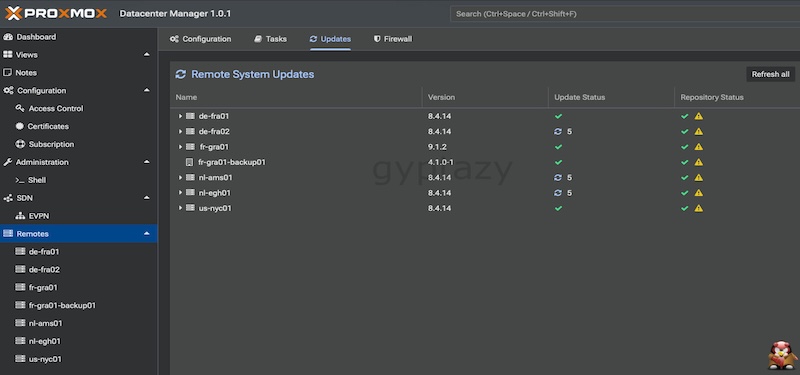
The Proxmox Datacenter Manager brings something many administrators have wanted for a long time. A single place where all Proxmox VE clusters, individual nodes and Proxmox Backup Server instances come together. Instead of jumping through different interfaces, everything appears in one central cockpit. You get a clear and consistent overview of hosts, VMs, containers and datastores, even when they are spread across multiple locations. The built in search makes it easy to find the right resources quickly, even in very large environments.
Progress Is Happening, Just Not Fast
As the Proxmox Datacenter Manager just got released in version 1.0 the major question is what happened during almost a year of development? Let me spoiler, I’m disappointed!
Maybe you already had a look at my initial post about the Proxmox Datacenter Manager when the first alpha version got released and my thoughts about it during the beta version. Now, we have the first release and somehow, it still feels pretty incomplete. Let’s have a look at it.
UI / Design
The design of the UI didn’t really improve over the time. Sure, several bugs have been squashed but it still doesn’t look modern, nor pretty. While this might not bother when using, it still gets somehow disappointing when looking at other open-source projects like Pulse (by rcourtman) for Proxmox.

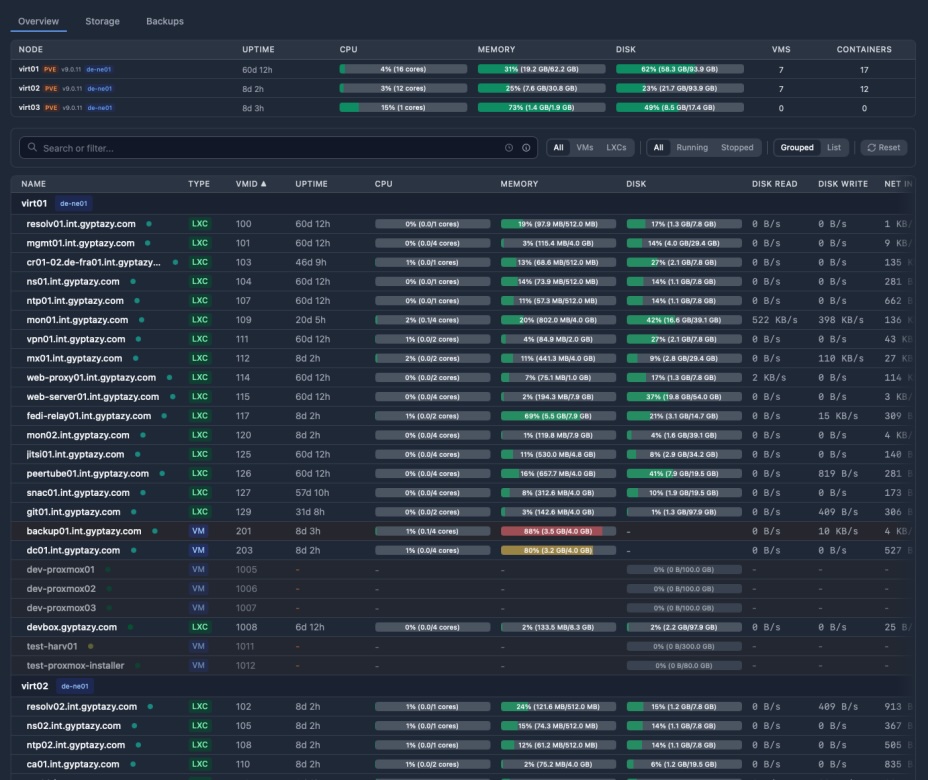
You can immediately see the differences but design and what looks good is always up to everyone and in the end it must simply work. However, putting some more efforts into the design would have been really appreciated.
Features
The Proxmox Datacenter Manager introduces a set of features that look very promising at first glance. You get a central cockpit that collects all clusters, nodes and Proxmox Backup Server instances in one place. The interface offers a clean overview of hosts, VMs, containers and datastores across different sites and datacenters. The search function works well and makes it easy to find resources even in large environments and this is often a features many of my clients asked for: Finding a VM over different nodes and clusters!
Multi cluster management is one of the most important parts now and becomes even more important for people moving from other virtualization setups, like VMware with vCenter, to an open-source based solutions like Proxmox. In theory, you can start, stop, reboot or migrate virtual machines and containers from a centralized interface. Migrations between independent and different clusters are supported and might help by moving VMs around which could also be great for black-building tests or similar maintenance windows. There is also an integration with Proxmox Backup Server. You can see remote datastores, their contents and performance metrics without switching interfaces. Custom Views add flexibility, allowing you to build filtered dashboards for teams without exposing the raw hosts or storage systems but that’s it already more or less. On top of that, the system brings metrics, RRD charts, identity management integrations and even centralized SDN controls for EVPN. Update management is also included and shows all available patches in one place but don’t think you could simply upgrade those with one click or in an API driven way and I will tell you more about it in the Update Management chapter of this blog post.
First, this really sounds like a fully fledged central management platform but in practice it is still very limited. Most features work more like visualizations than true management tools. You can see a lot but you cannot really act on it in a meaningful way. Creating new workloads such as VMs or containers is not possible. You also cannot manage resources or perform deeper administrative tasks directly from the Datacenter Manager. The same restriction applies to backups and updates. Even though you see everything in one dashboard, you still have to jump to the individual cluster or node to actually do the work and this also comes with a little security issue where operators are still always required to have a direct connection (even when it’s by VPN) to the nodes while the data center might already have a connection to it.
These limitations turn the current feature set into more of an aggregated view rather than a real central control plane. It gives you insight but not the ability to manage the environment in a unified way.
Security Update Management
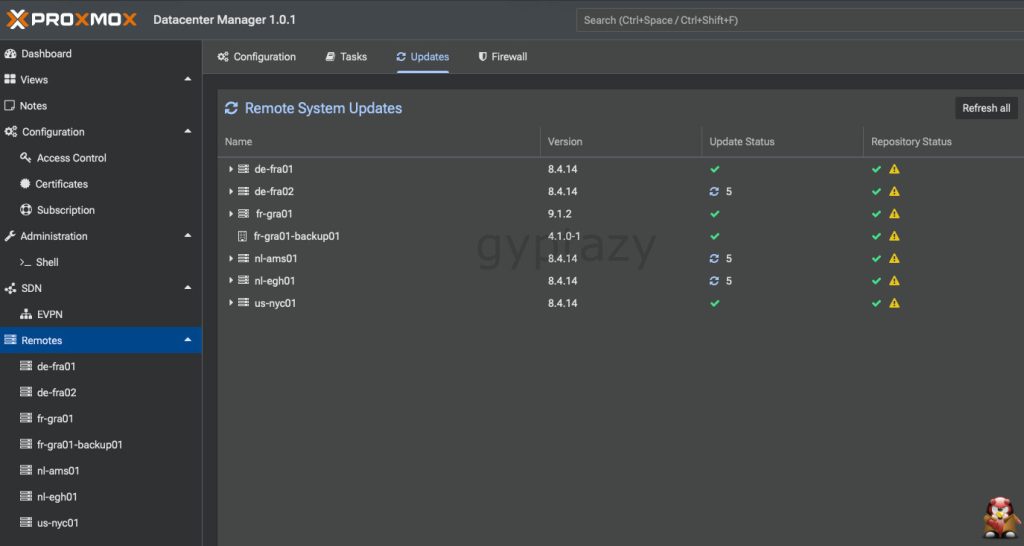
Security update management could have been one of the biggest advantages of the Proxmox Datacenter Manager. A central place that keeps track of all nodes, shows what needs an update and allows you to take action with a single click would save a lot of time in larger environments. On paper, the Datacenter Manager already moves in that direction. It shows how many packages are available for upgrade, which versions are running on each node and which pending updates are waiting to be installed.
In practice, the benefits stop there. The platform only displays information. It does not allow you to select a node and trigger the upgrade from the central interface. Instead, it sends you back to the node where the update actually has to run. That alone would not be the biggest problem, but it also requires the operator to have a direct connection to the node on tcp port 8006. This is unnecessary because the Datacenter Manager already talks to the node. With a proper API endpoint for unattended upgrades, the Datacenter Manager could easily act on behalf of the user without forcing a second connection from the client machine.
I already proposed an idea for such an endpoint together with a draft pull request on the Proxmox devel list. It was not perfect and still needed refinement but the concept was simple. Add a safe API endpoint that allows controlled, unattended upgrades and let the Datacenter Manager call it. The response was that blindly upgrading is considered too risky and that upgrades should always require a human in the loop through the interactive html5 based shell inside the Proxmox API. While I understand the concern, this decision leaves a big gap.
Administrators coming from “enterprise hypervisors” are used to management platforms that can handle updates centrally. They expect the management system to apply patches across the cluster without requiring individual logins or separate network paths. Not offering this creates a significant disadvantage, especially as environments grow where It can even become a deal breaker for some teams. The same way ProxLB fills the missing gap for automated resource scheduling, this missing functionality in update management will eventually require external tooling or community driven extensions. Maybe, things will change after more community feedback for this missing feature.
Proxmox Datacenter Manager is…
The Proxmox Datacenter Manager is a strong first step toward a unified view of Proxmox infrastructures. It brings clusters, nodes, virtual machines, containers and Proxmox Backup Server instances together in one place and provides a clean, consistent overview across locations. Features like multi cluster insights, performance metrics, RRD charts, integrated backup views, EVPN management and basic update visibility all point in the right direction. The foundation is clearly there.
At the same time, the current release is still very limited. Many of the features act more as visualizations than actual management tools. You cannot create or manage workloads centrally, you cannot perform deeper administrative tasks and even the update and backup workflows require you to jump back to the individual nodes or clusters. The centralized update management is a good example. It shows all relevant information but it still forces the operator to connect directly to each node to apply updates, even though the Datacenter Manager already communicates with the node.
Despite these shortcomings, the work behind the Datacenter Manager is absolutely appreciated. It is fully open source and that means we can extend it ourselves. I have done this in the past, for example with ideas and patches related to upgrade handling, and the community will continue to step in where needed. Proxmox VE itself started small and evolved into a serious competitor to VMware. The Datacenter Manager is now at the same starting point. With each iteration, it has the potential to grow into the central management plane that many enterprise users are waiting for.
I hope to see more capabilities arrive soon and to see features that match the needs of modern environments. Until then, the community and I will continue to fill the gaps and push things forward so the ecosystem can keep evolving.